
For iPhone and iPad
All your trips, in one place.
Cardinal keeps your flights, hotels, bookings, expenses, and documents together. Everything lives on your iPhone and in your iCloud: no accounts, no servers.
- 9,000+airports, each with its time zone
- Works offlineyour documents always at hand
- On-device AIreads your confirmations without uploading them
- No trackingno accounts, no ads
Flights
Every flight, down to the details.
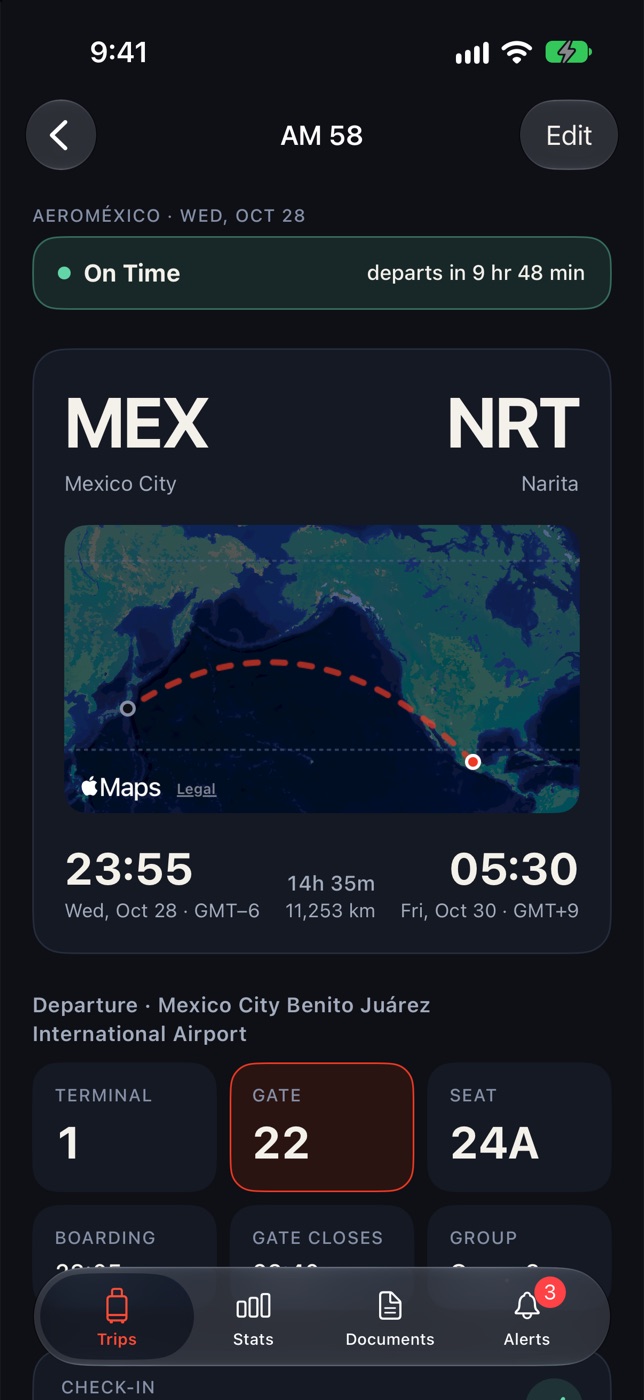
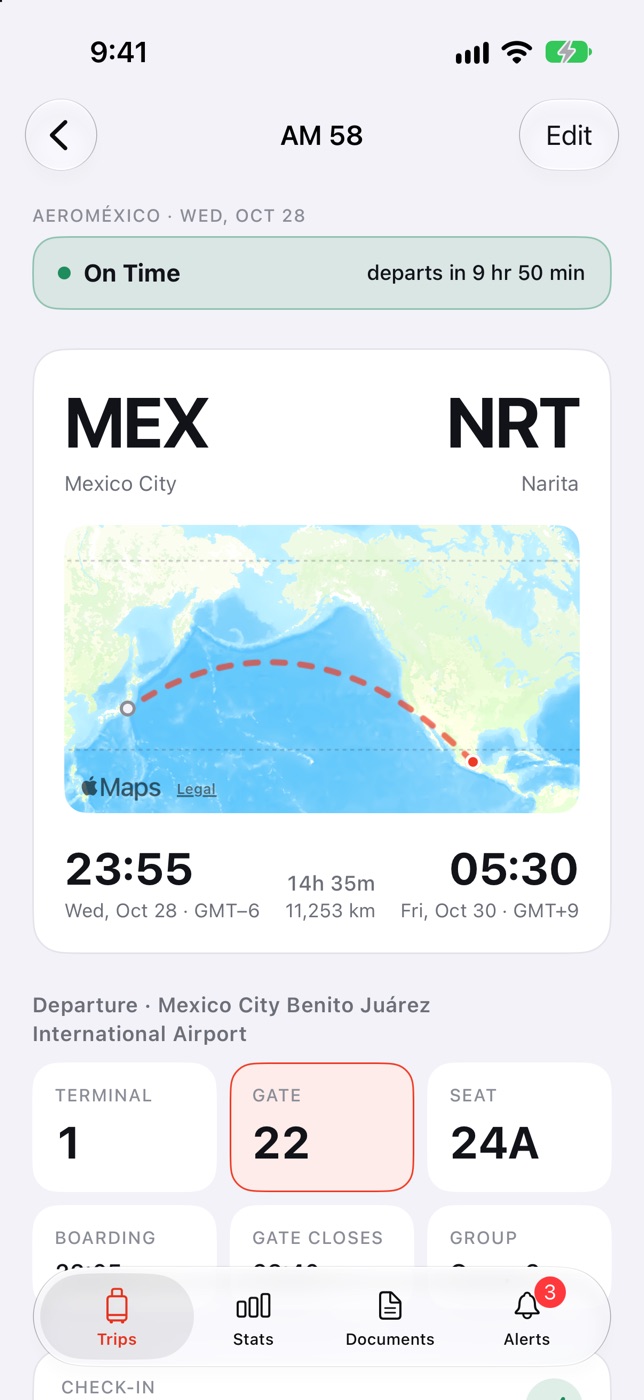
Terminal, gate, seat, boarding group, and boarding time on one screen. Cardinal works out the duration, the distance, and the time difference using each airport’s time zone, so your arrival time is always right.
- Countdown to departure
- Confirmation code, ticket number, and frequent flyer
- Aircraft, tail number, cabin, and baggage
Flight day
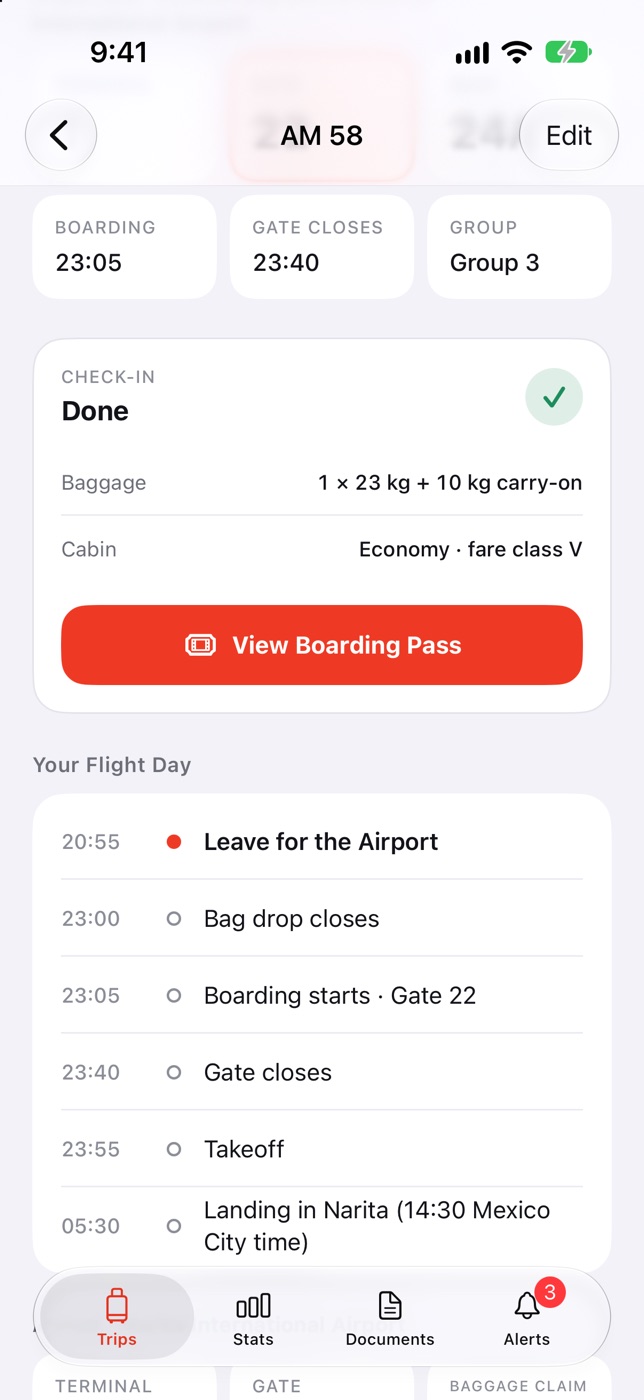
Know when to leave for the airport.
Cardinal plans your flight day: when to head to the airport, when bag drop closes, when boarding starts, and when the gate closes. And it reminds you on your iPhone, even when the app is closed.
- Time-to-leave alert: 2 hours before, 3 for international
- Check-in reminder as soon as it opens
- Arrival in your destination’s time and in yours
Boarding pass
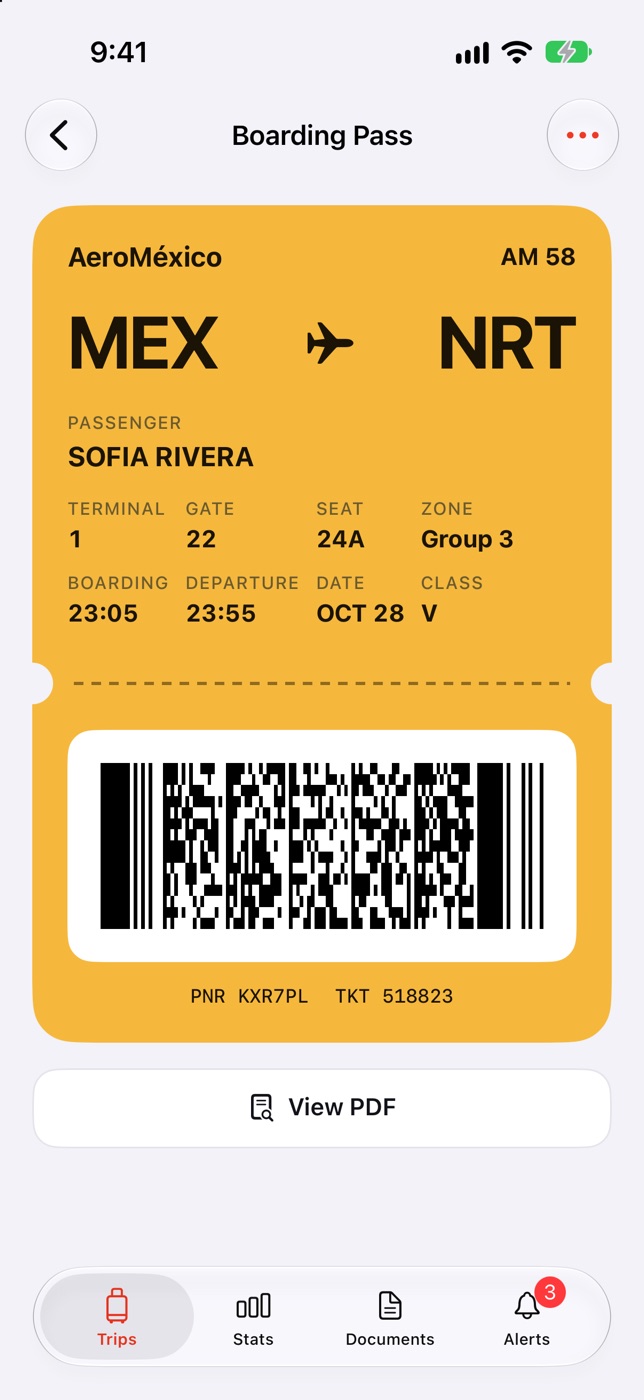
Your pass, ready in line.
If your airline gives you a Wallet pass, it goes straight to Wallet. If it sends a PDF or a screenshot, Cardinal finds the barcode and redraws it sharp, with the brightness all the way up for the scanner.
- Reads the barcode from a PDF or a photo
- Gate, seat, zone, and boarding time on the same pass
- Available offline
Itinerary
The whole trip, day by day.
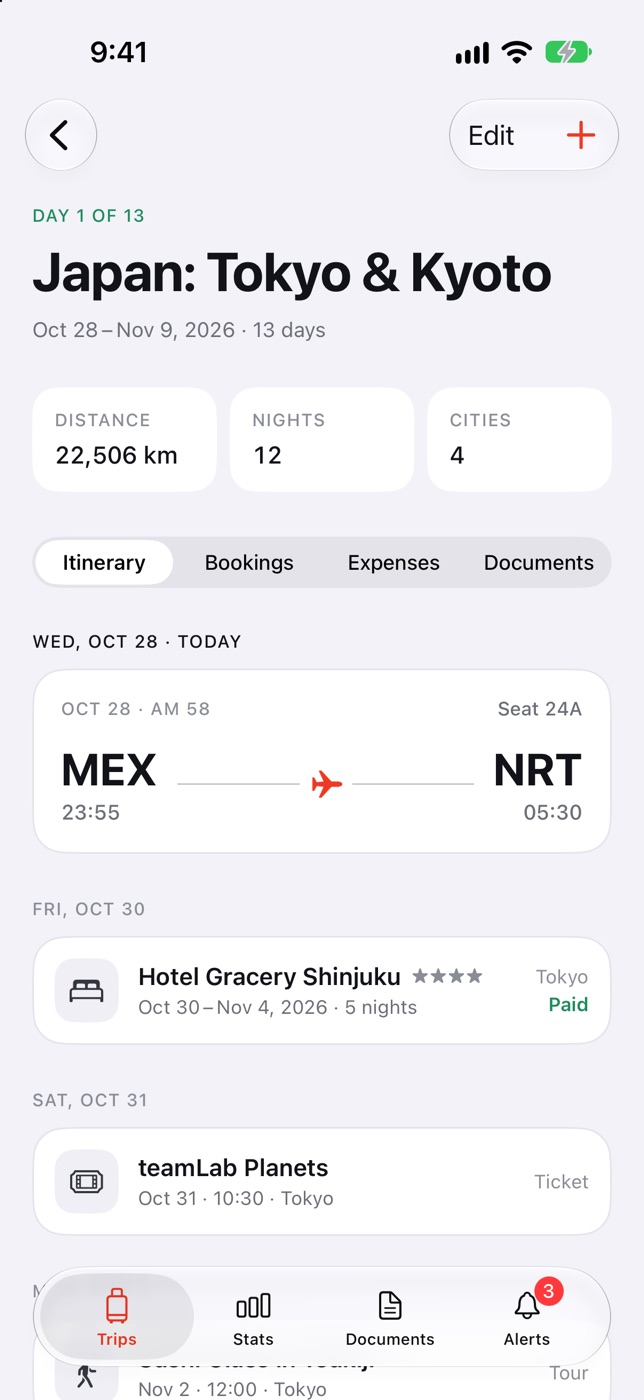
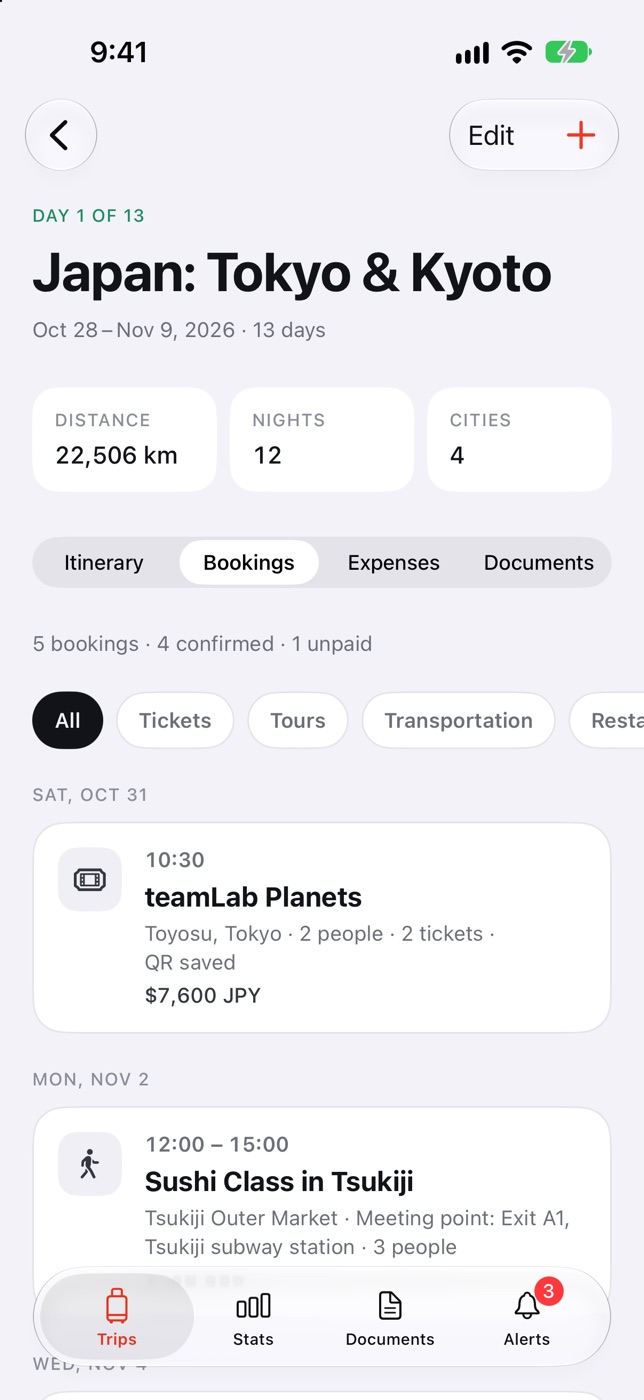
Flights, hotels, tours, trains, and restaurants in order, each on its day. Bookings keep the confirmation number, the meeting point, the provider, and what’s still left to pay.
- Hotels with check-in, check-out, meal plan, and cancellation policy
- Tickets, tours, trains, ferries, and transfers
- Unpaid bookings with their due dates
Import with AI
A confirmation goes in, a booking comes out.
Open a confirmation PDF or screenshot in Cardinal. Apple’s on-device intelligence reads it on your iPhone and suggests the flight, hotel, or booking with all its details. You review everything before saving. The document never leaves your phone.
- Several documents at once, without duplicating what you already have
- Works with PDFs, photos, and text
- On iPhone and iPad with Apple Intelligence
Expenses
What you’ve spent, in any currency.
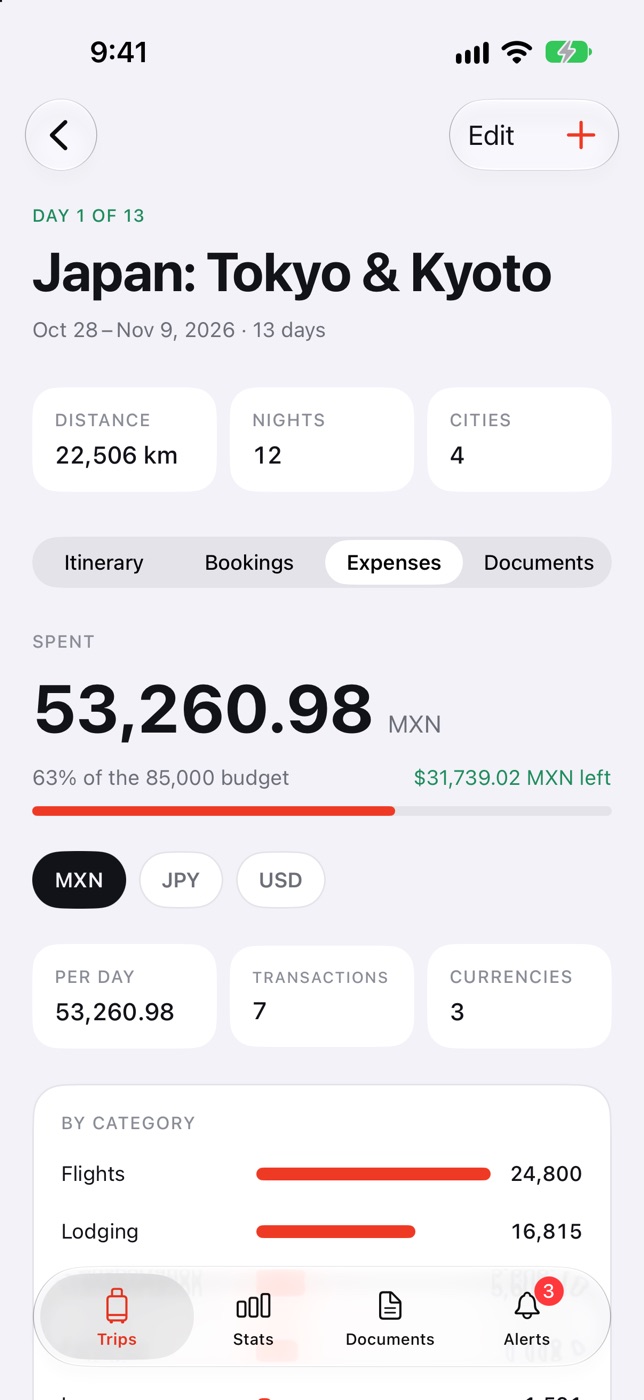
Log each expense in the currency you paid in. Cardinal saves that day’s exchange rate and shows how much of your budget you’ve used, where it’s going, and how much is left.
- A budget for every trip
- Spending by category and by currency
- Exchange rate locked in on each expense
Stats
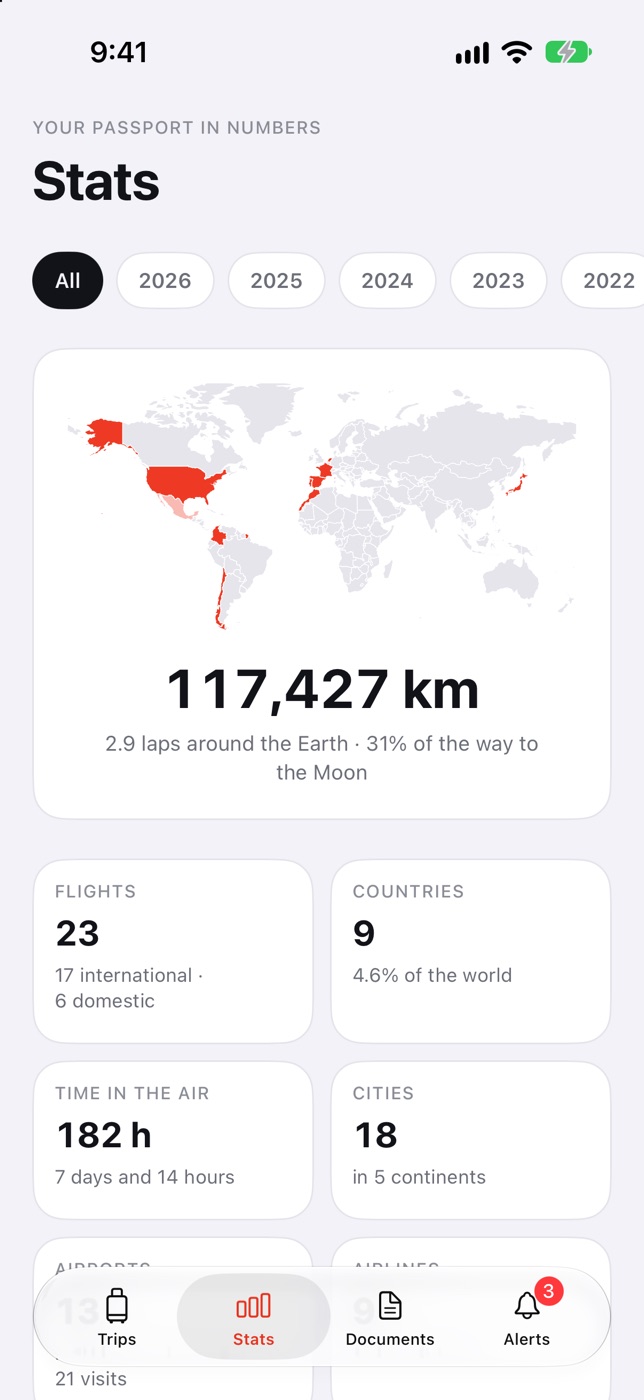
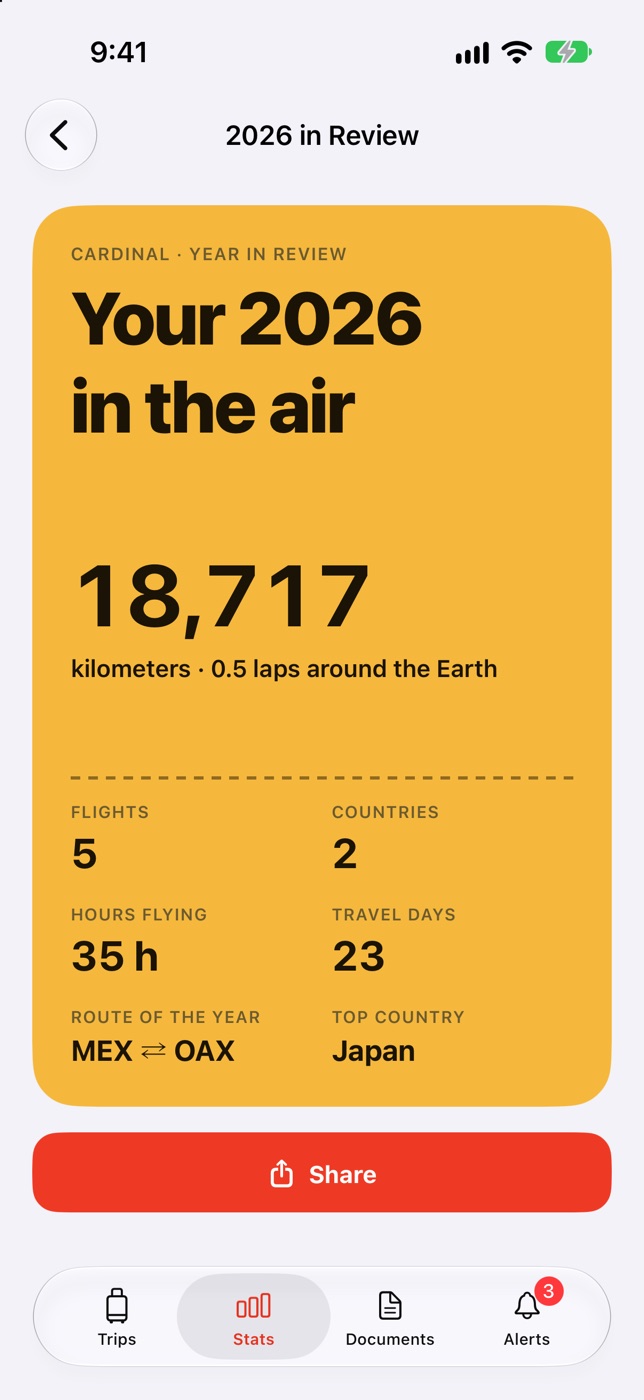
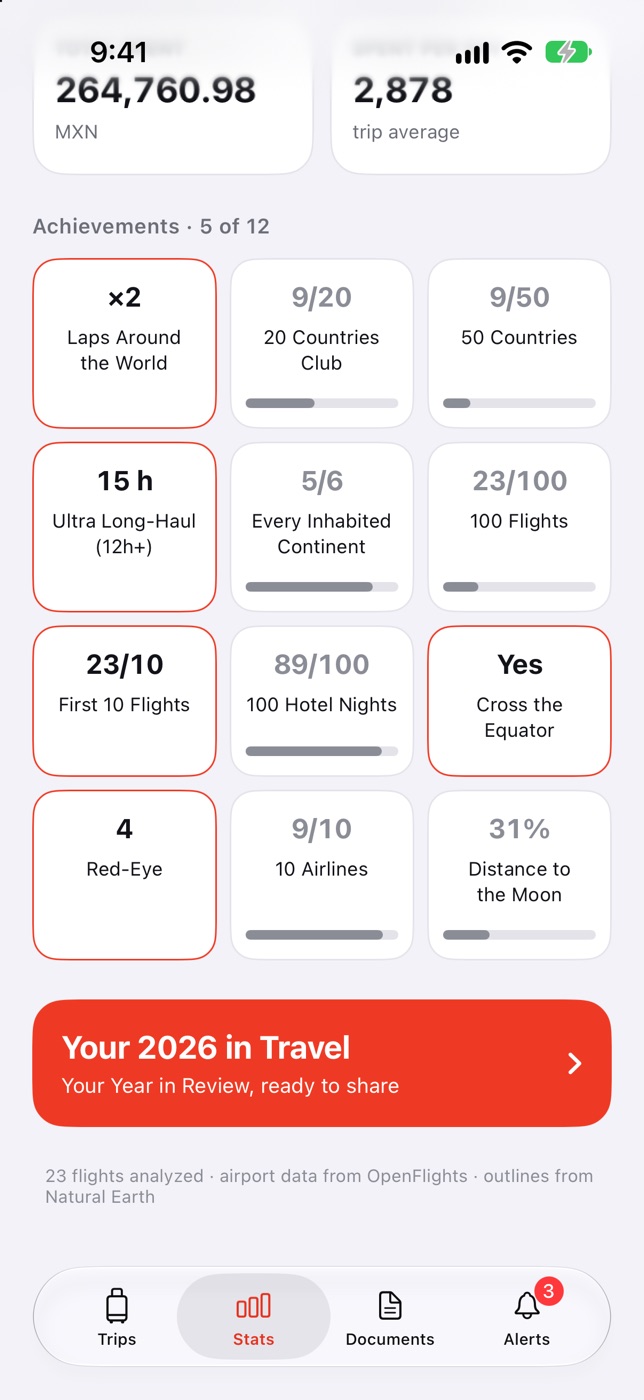
Your passport, by the numbers.
Distance flown, countries with their flags, continents, hours in the air, airlines, and favorite routes. Achievements you unlock by traveling, and a Year in Review ready to share.
Documents and alerts
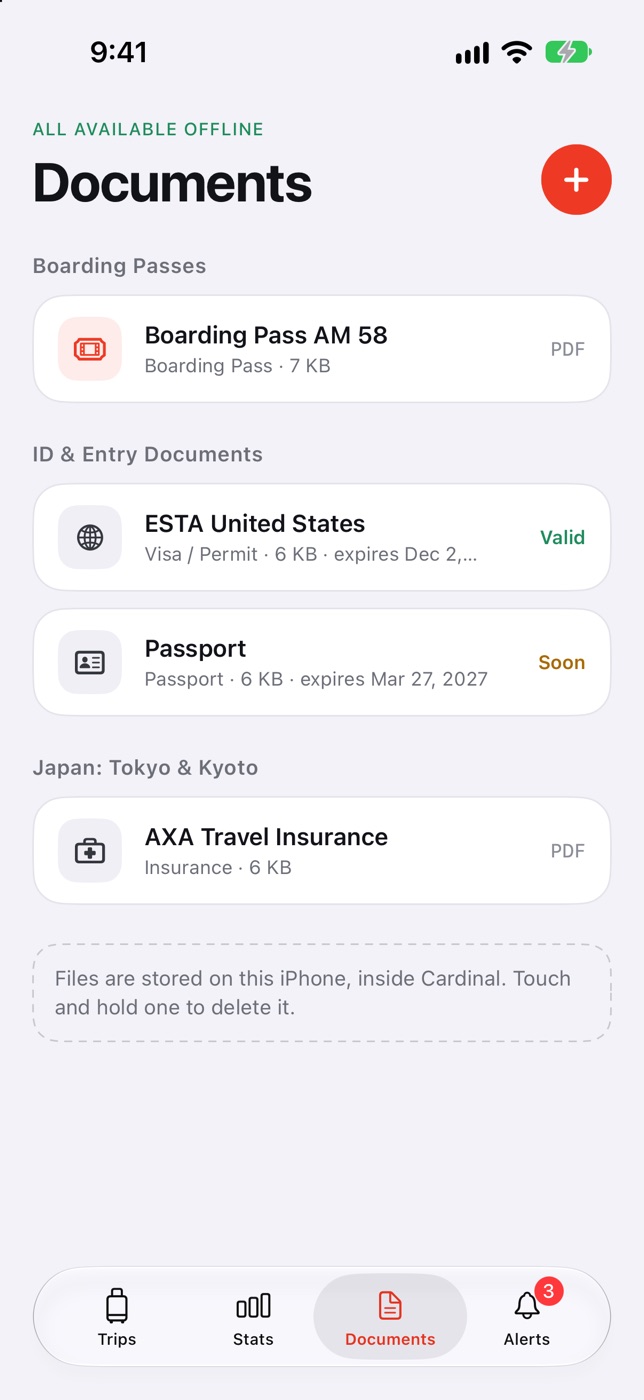
Nothing slips through.
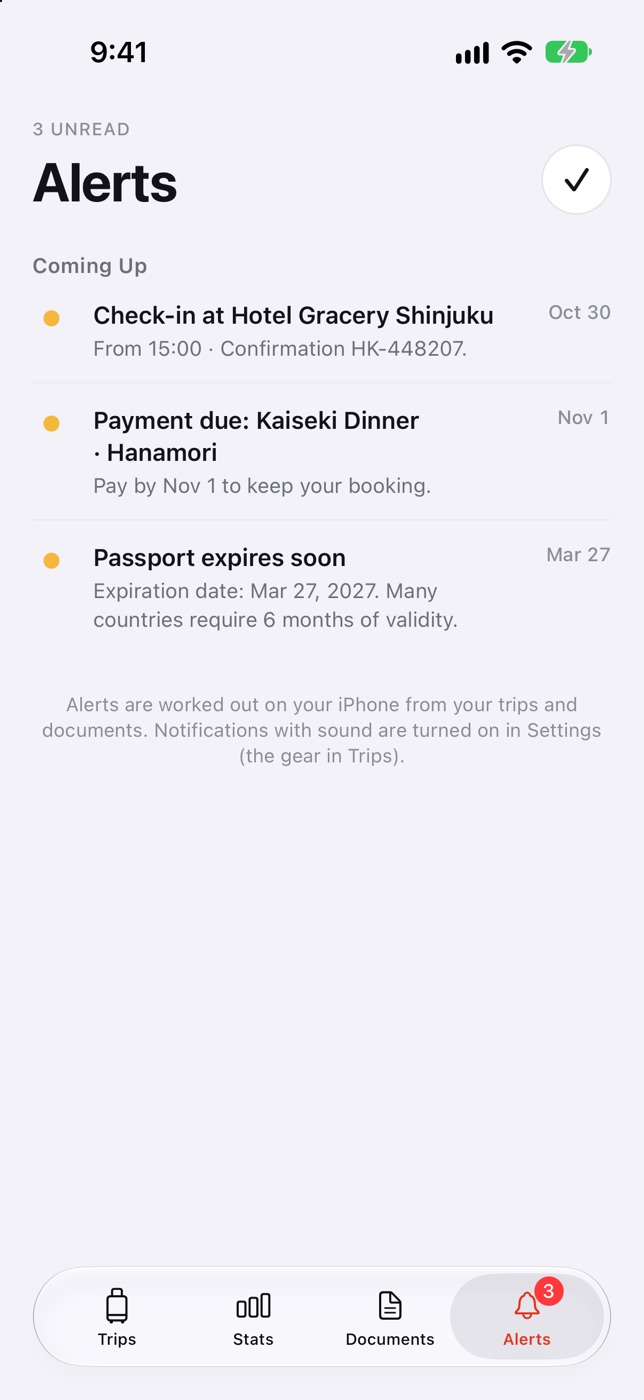
Passport, visas, insurance, and passes saved on your iPhone and available offline. Cardinal lets you know before something expires, when a payment is due, and when it’s time to check in to your hotel.
- Passport expiration alerts
- Booking payments with due dates
- Everything worked out on your iPhone
And there’s more
-
Widgets
Countdown, next flight, and what’s up next, on your Home Screen and Lock Screen.
-
Calendar
Your flights, hotels, and bookings in your iPhone’s Calendar, updated with every change.
-
iPad
Two columns, keyboard shortcuts, multiple windows, and drag a PDF in to import it.
-
iCloud
Your trips on all your devices, synced with your private iCloud.
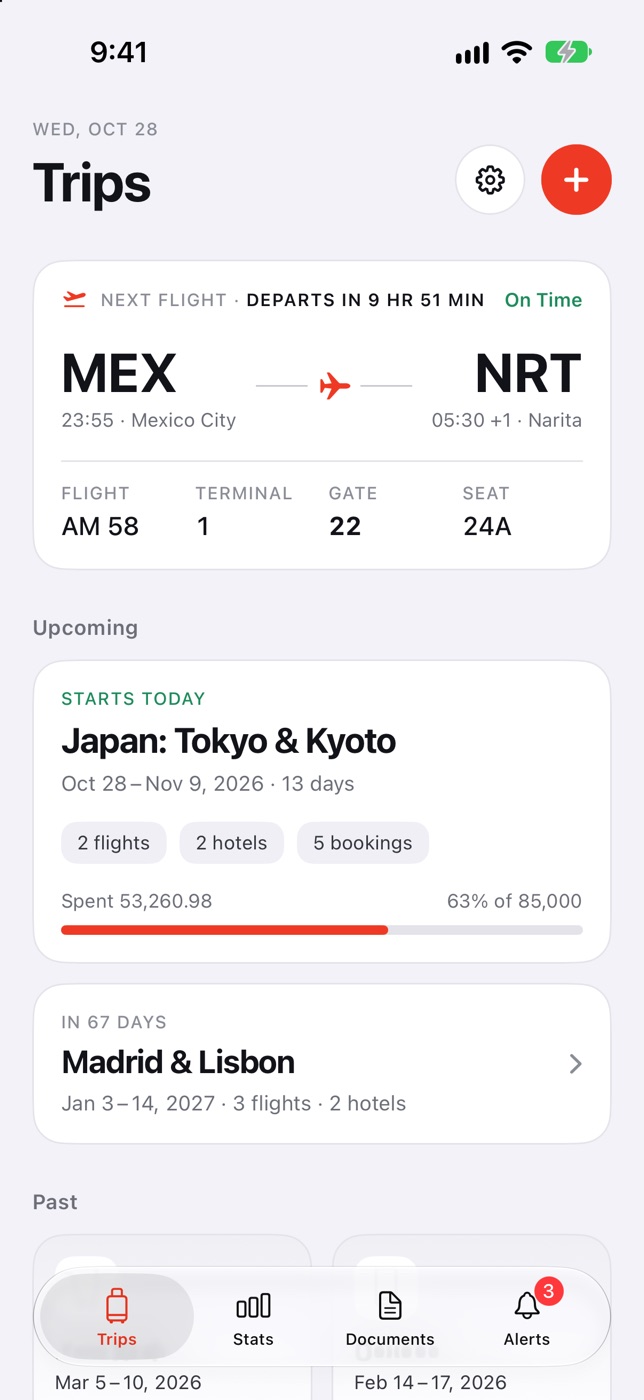
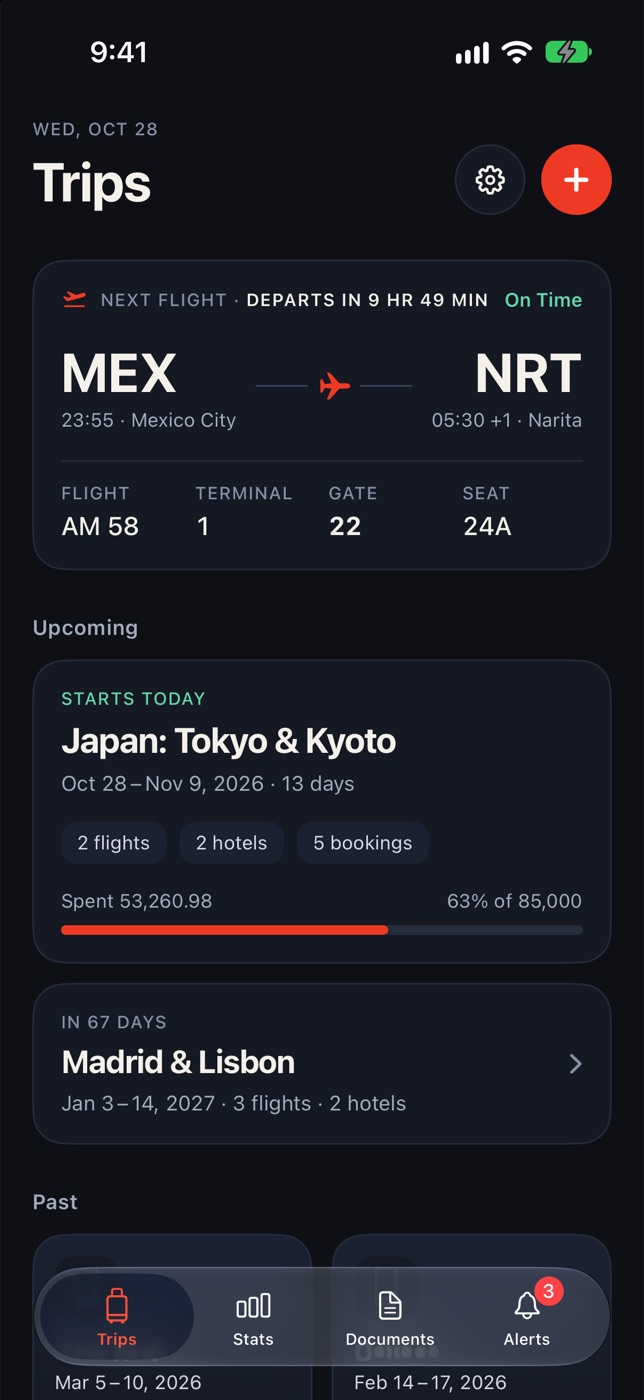
Day and night
Cardinal follows your iPhone’s light or dark mode.

Your trips are yours.
Cardinal has no servers that store your data. Everything lives on your iPhone and syncs with your private iCloud, which no one else can see, not even us.
- No accountsNo sign-up, no password.
- No trackingNo ads, no third-party analytics.
- On-device AIYour confirmations never leave your phone.